
We’re excited to introduce AI Query Assistant in AD Reporting — a powerful new feature that transforms the way you create LDAP filters.
As of February 16, 2026 (v6.0.0.7+), you can generate precise LDAP filters using plain English — directly inside the application.
No more struggling with LDAP syntax.
No more trial-and-error filter building.
Just describe what you need — and let AI handle the rest.
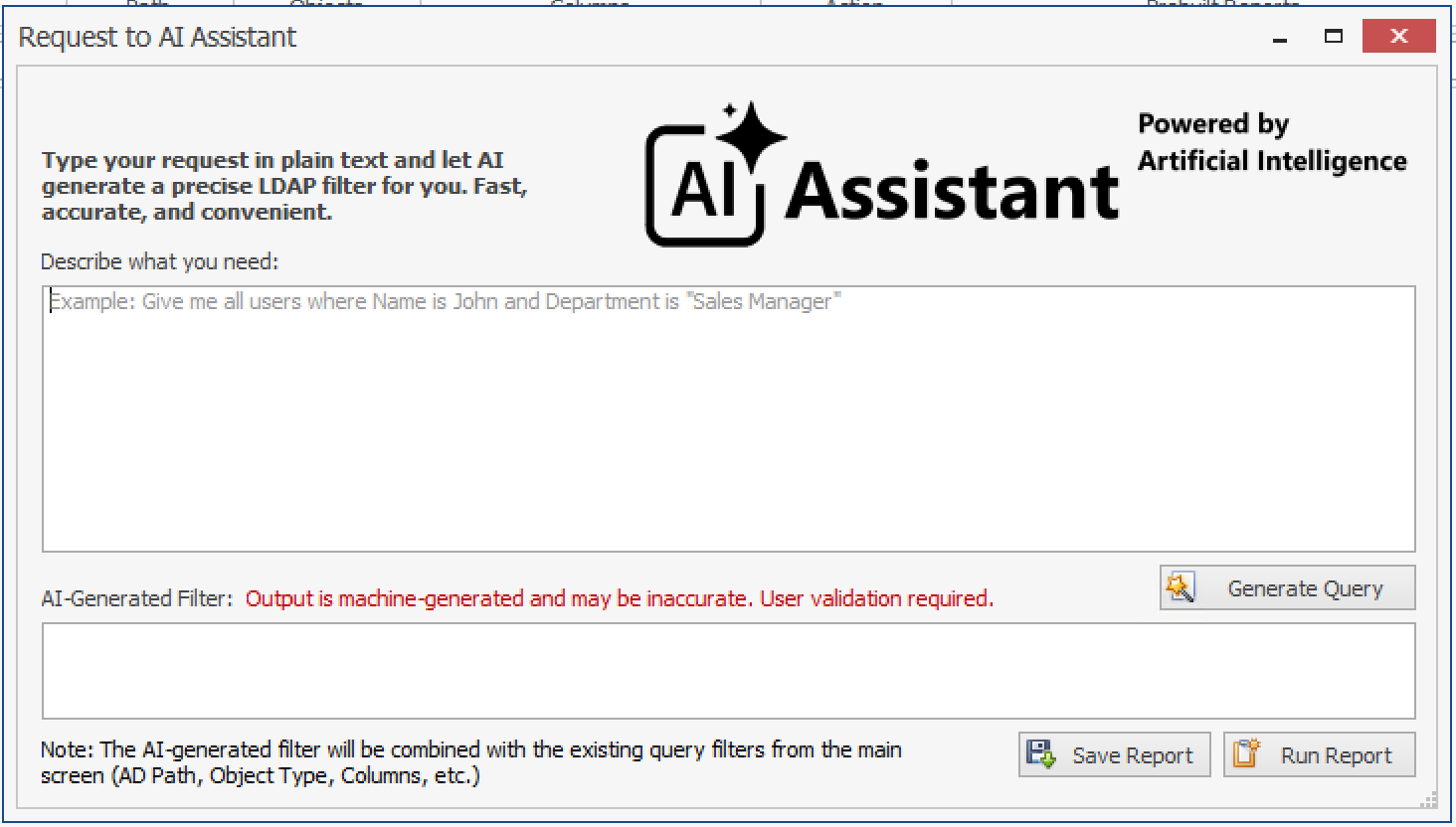
🧠 Turn Human Language into LDAP Filters
Creating LDAP filters manually can be complex and error-prone, especially for advanced queries.
With AI Query Assistant, you can simply type:
- “Give me all users with Title = Developer”
- “Computers not logged in for 90 days”
- “Disabled accounts in HR department”
- “Users created this month”
Click Generate Query, and AD Reporting will automatically produce a ready-to-use LDAP filter.
You can review it, adjust if necessary, and immediately run the report.
📊 Run Reports Instantly & Save as Custom Reports
Once your AI-generated filter is ready:
- Click Run Report to see the results instantly
- Click Save Report to store it as a Custom Report
- Access it anytime from the Custom Reports list
- Edit, clone, or delete it whenever needed
This allows you to turn simple business requests into reusable reporting templates within seconds.
⚙️ Works with Configurable AI Providers
AD Reporting supports multiple AI providers, giving you flexibility and control over your environment.
You can configure:
- Ollama (Local AI)
- Azure OpenAI
- ChatGPT
- Claude
Only one AI provider can be configured per application instance.
👉 For detailed setup instructions, please refer to our guide:
How to Configure AI Provider
🔐 Secure by Design
AI Query Assistant is built with safety in mind:
- It generates LDAP filters only
- It does not modify Active Directory
- Output must be validated by the user
- Generated filters are combined with existing report settings (AD Path, Object Type, Columns, Time Scale)
This ensures full control and transparency over your reporting.
💡 Why This Feature Matters
Active Directory reporting often requires translating business questions into technical LDAP syntax.
AI Query Assistant bridges that gap.
Now, helpdesk teams, administrators, and IT managers can:
- Build complex queries faster
- Reduce syntax errors
- Respond to requests more efficiently
- Save time on repetitive reporting tasks
It makes AD Reporting not just a reporting tool — but an intelligent assistant for your directory environment.
🗓 Available as of February 16, 2026 (v6.0.0.7+)
If you’re already using AD Reporting — update today and start generating LDAP filters with AI.
If you’re new to AD Reporting — this is the perfect time to experience smarter, faster directory reporting.
— Dovestones Software