
Every organization is different.Different structure. Different processes. Different compliance rules. Different integrations. While Dovestones products are designed to cover the most common enterprise scenarios out of the box, sometimes you need something more specific — something built exactly for yourRead More
Content/Sidebar/Sidebar
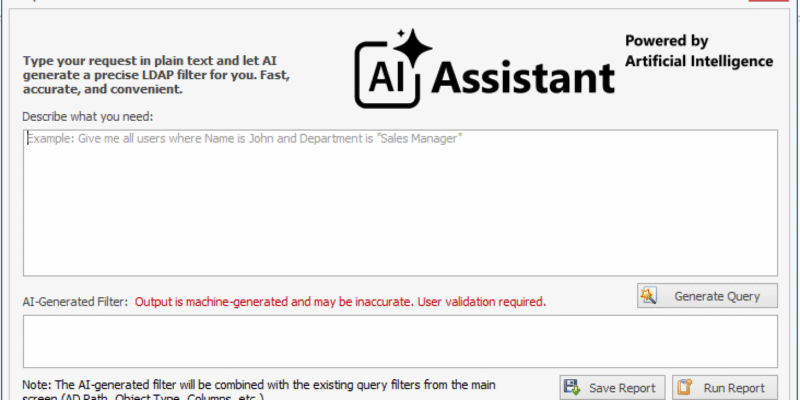
🤖 AI Query Assistant Is Now Available in AD Reporting
We’re excited to introduce AI Query Assistant in AD Reporting — a powerful new feature that transforms the way you create LDAP filters. As of February 16, 2026 (v6.0.0.7+), you can generate precise LDAP filters using plain English — directlyRead More
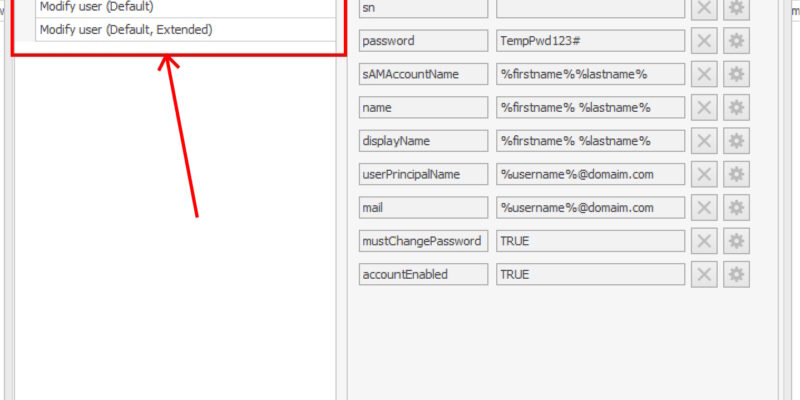
🚀 Built-in Templates Are Now Available in AD Bulk Users
We’ve introduced built-in Templates in AD Bulk Users — making bulk user operations faster, cleaner, and easier than ever. As of October 26, 2025 (v6.0.0.6+), you can generate and edit template data directly inside the application, without relying on external files. 🧩Read More
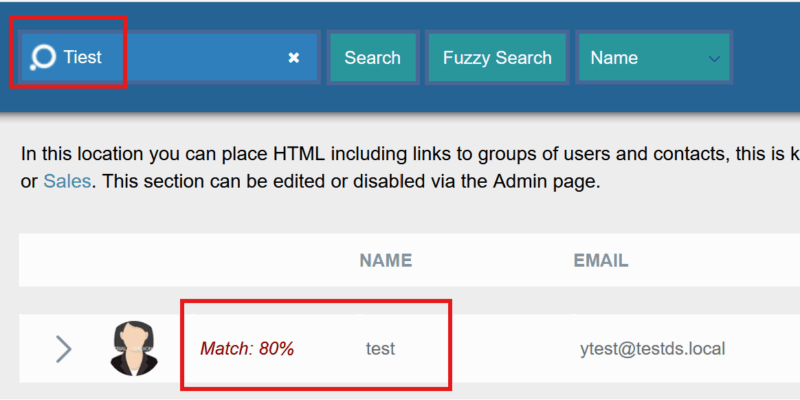
🔍 Fuzzy Search Is Now Available in AD Phonebook
Finding users in AD Phonebook just became faster and more forgiving. With Fuzzy Search, you can now locate users even if the name is incomplete or contains small typos — no need for exact matches anymore. Available as of December 15,Read More
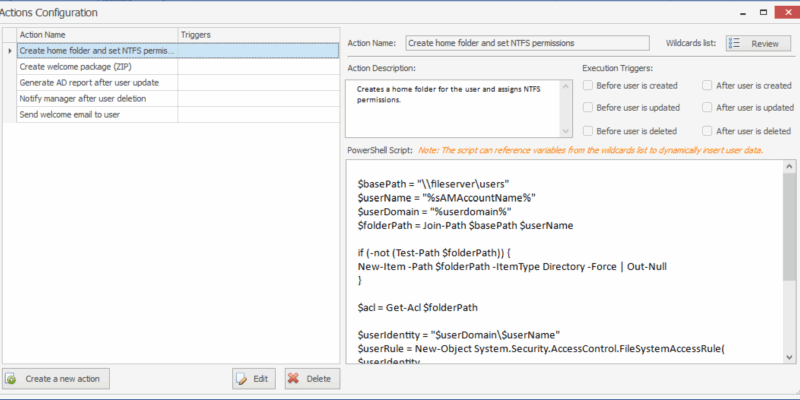
⚡ Smarter Automation Has Arrived in AD Bulk Users
Automation in AD Bulk Users just took a major step forward With Custom Actions, you can now build fully tailored automation workflows that match your environment exactly — using the power and flexibility of PowerShell. Available as of January 12, 2026Read More
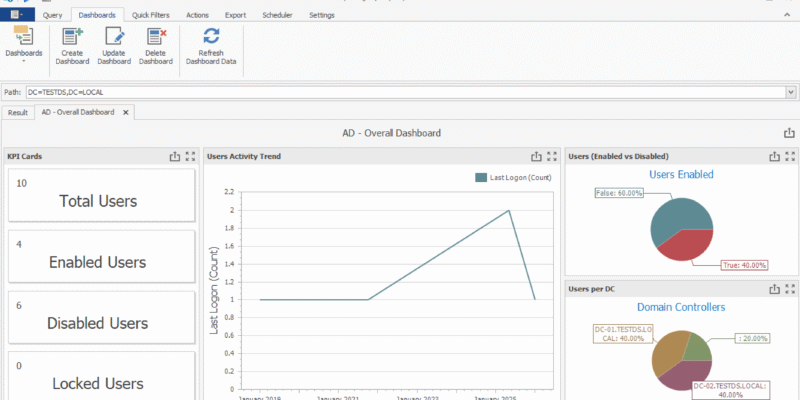
📊 Dashboards Are Here in AD Reporting!
We’re excited to introduce Dashboards in AD Reporting! A new way to turn query results into clear, interactive visual insights for your Active Directory and Entra ID environments. Starting with v6.0.0.6 (January 26, 2026), dashboards help you move beyond raw data and focusRead More
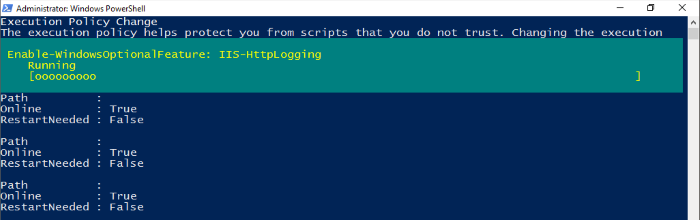
Prerequisites required to run AD Phonebook, AD Self Update or AD Self Password Reset on a Windows 2016
For the prerequisites required to run AD Phonebook, AD Self Update or AD Self Password Reset on a Windows 2016 server please see the link below. Installing on Windows Server 2016 Alternatively you can use the powershell script below to installRead More
How do I add contacts to the AD Phonebook?
How do I add contacts to the AD Phonebook? You can’t directly add contacts to the phonebook but you can create a contact object in Active Directory and it will appear in the phonebook (assuming it meets the criteria youRead More
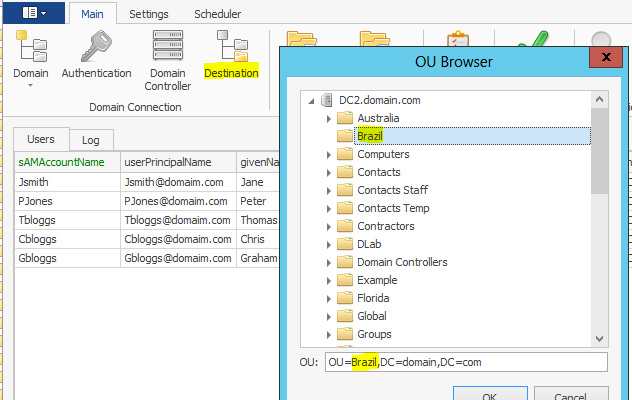
How do I move users to a new OU using AD Bulk Users?
If you are creating new users via the GUI you can click on the Destination button in the ribbon and then select the OU where you would like the users created (see below). Alternatively, you can use a column namedRead More
Do you accept purchase orders (to issue invoices)?
Yes, we accept purchase orders. Our standard payment term for purchase orders is 30 days NET. We accept payment by bank transfer, mailed check, and credit card; full details are on the quote or invoice. The invoice will be sentRead More
Can I activate the trial version I have configured?
I have installed the trial version and configured it just as I need it. If I purchase a license will I need to start over or can I activate the trial version I have installed? After purchasing a license you canRead More
Error: The specified directory service attribute or value does not exist
If you are seeing the error ‘The specified directory service attribute or value does not exist’ when trying to set a password using AD Self Password Reset then it is likely the user used in the configuration program is unableRead More
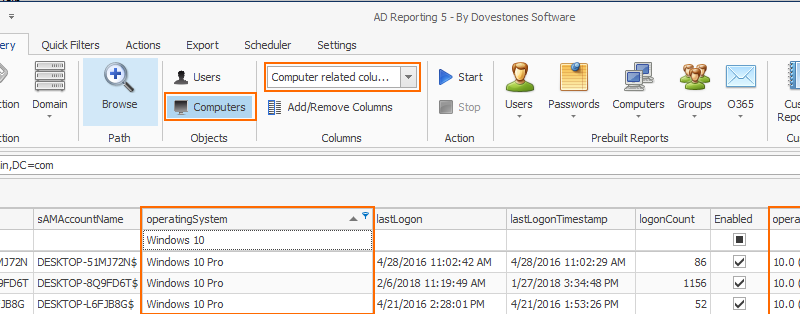
How can I see the operating systems of computer objects in Active Directory?
You can display operating system and other computer related data by choosing ‘Computers’ in the ribbon (deselect Users) and then from the pre-set columns choose ‘Computer related columns’. When you then click Start the program will query your selected Domain orRead More
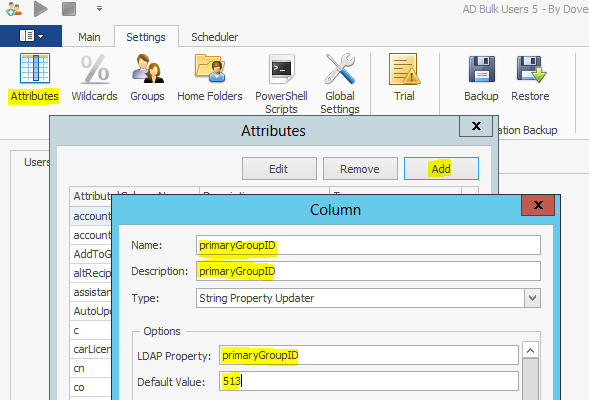
Changing the Primary Group (primaryGroupID)
Do you need to change the Primary Group for users? Which group is primary is stored in an attribute named primaryGroupID. The attribute primaryGroupID isn’t shown in AD Bulk Users by default so you’ll need to add it to the attributesRead More
The New button on the Schedule tab is greyed out.
If the New button on the Schedule tab is greyed out check the local Users group has Modify access to the schedules.xml file found in the in the Configuration folder (c:\Program Files (x86)\Dovestones Software\AD Bulk Users\Configuration).
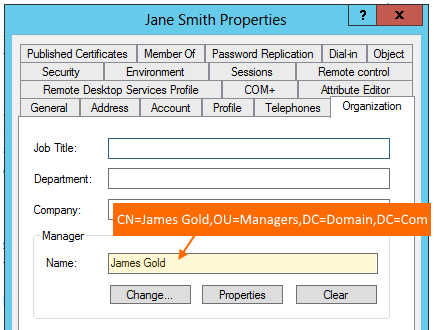
Setting the manager attribute for users in Active Directory
Starting with version 5.0.7.9 and above of AD Bulk Users you can set a users manager value using the managers username, distinguishedName or the managers employeeID. Internally in Active Directory a users Manager (seen on the Organization tab) is storedRead More
Which runs first RemoveFromAllGroups or AddToGroup?
You may need to remove users from all groups before adding them to a new group, for this reason RemoveFromAllGroups runs first followed by AddToGroup.
Access Denied when using AD Bulk Users
If you are seeing the error ‘Access Denied’ in the log and you have sufficient permissions to create and update AD users then the error could be related to User Account Control. Try right clicking the program exe and usingRead More
How can I schedule the deletion of Active Directory users?
How can I schedule to deletion of users from Active Directory? In this scenario HR provide you with a file (could be a db table) of users to be removed from Active Directory, the file is placed in the same locationRead More
How can I clean up Active Directory?
Please note: True Last Logon has now been replaced with AD Reporting. Do you have more users and computers objects in Active Directory than you actually have in the physical world? This is a common problem for most organizations, unless you have aRead More